
How to Budget by Paycheck: A Step-by-Step Guide (With Example)
Most budgets are monthly, but most people aren't paid monthly. If you're paid every week or every two weeks, a monthly budget hides the real problem: rent is due on the 1st, your car payment on the 5th, and your first paycheck of the month doesn't land until the 8th. Budgeting by paycheck fixes that by planning each check on its own, based on the bills that are due before the next one arrives.
Step 1: List your pay dates for the next two months
Write down every date you'll be paid and the amount that actually lands in your account (your take-home pay, after taxes and deductions). If you're paid biweekly, note that two months a year have three paychecks instead of two; those "extra" checks are a powerful tool later.
Step 2: List every bill with its due date
Rent or mortgage, utilities, phone, insurance, car payment, minimum debt payments, subscriptions. Include the due date and amount for each. Look at the last two months of bank statements so nothing slips through.
Step 3: Assign each bill to a paycheck
This is the heart of the method. Each bill is paid from the most recent paycheck before its due date. A bill due on the 15th is paid from a check that lands on the 8th, not the one that lands on the 22nd. If one check ends up overloaded (often the one that has to cover rent), move a flexible bill to the other check, or ask a company to change your due date. Many will.
Step 4: Plan the "everything else" for each check
After bills, each check still needs to cover groceries, gas and other variable spending until the next payday. Split your monthly grocery and gas budget across your checks so each one carries its share.
Step 5: Give the leftover a job
Whatever remains goes, in order, to: a starter emergency fund, sinking funds for irregular expenses, extra debt payments, then longer-term savings. If the leftover is negative, that's useful information: it shows exactly which pay period is tight and by how much.
Step 6: Check in on payday
Each payday, spend ten minutes: confirm the check amount, pay or schedule the bills assigned to it, and move savings right away so it's not spent by accident.
A worked example
Jordan takes home $1,400 every two weeks, paid on the 8th and 22nd this month.
| Check 1 (the 8th) | Check 2 (the 22nd) | |
|---|---|---|
| Take-home pay | $1,400 | $1,400 |
| Bills due before next check | Car $310, phone $65, internet $60, insurance $120 = $555 | Rent $1,050 (due the 1st) = $1,050 |
| Groceries and gas | $300 | $300 |
| Left to assign | $545 | $50 |
| Savings / sinking funds / debt | $300 emergency fund, $145 sinking funds, $100 extra on credit card | $50 to sinking funds |
Notice that rent is paid from the check on the 22nd, because it's the last check before the 1st. Looking at the month as a whole, Jordan has $595 to spare, but the paycheck view shows the second half of the month is tight, so the extra savings come from the first check.
Common mistakes
- Budgeting gross pay. Always use take-home pay.
- Forgetting annual bills. Car registration and annual subscriptions belong in sinking funds, not surprises.
- Spending the third paycheck. In a three-paycheck month, most of your bills are already covered. Send that check straight to savings or debt.
Free paycheck budget worksheet
Print one of these for each paycheck: pay date, amount, bills due before the next check, spending, savings and what's left to assign.
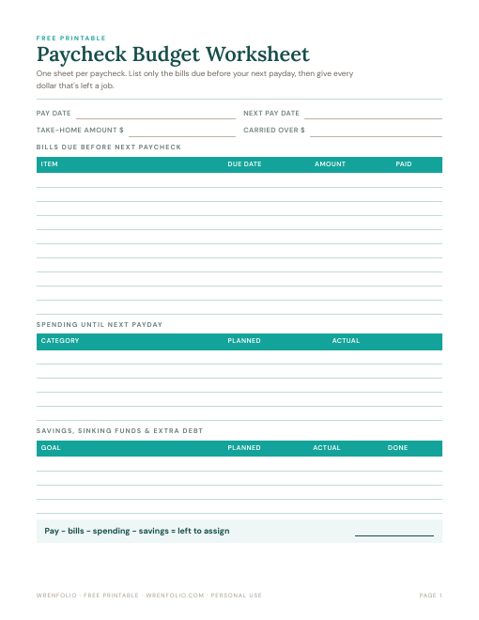
Free printable budget worksheet for budgeting by paycheck: pay date, bills due before the next check, spending, savings and what's left to assign. PDF, no sign-up.
Let a spreadsheet do the sorting
Our paycheck budget spreadsheet automates step 3: enter your pay schedule and bills once, and it assigns every bill to the right paycheck, then tracks savings goals and compares snowball and avalanche debt payoff. It works in Google Sheets and Excel. Prefer paper? The Budget Buddy printable binder covers monthly budgets, sinking funds and debt trackers.
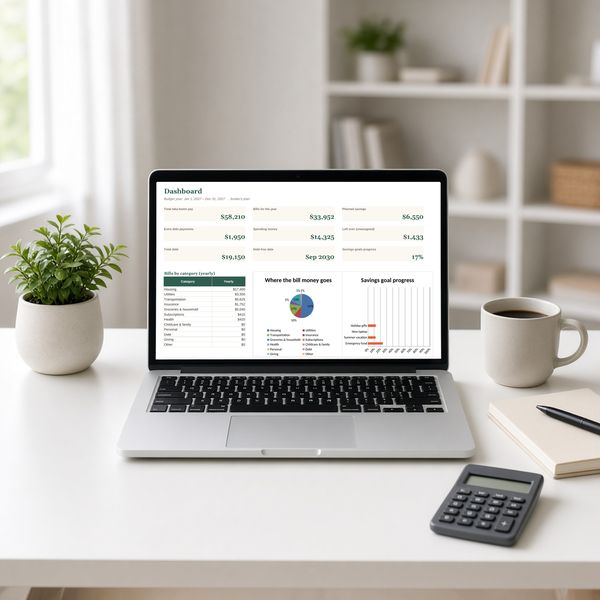 Paycheck Budget Planner Spreadsheet for Google Sheets & Excel$18.99 · Instant downloadView the printable →
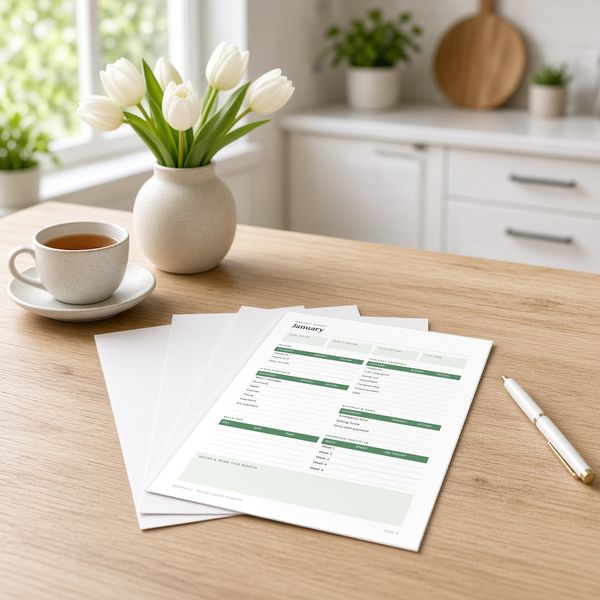 Budget Buddy Monthly Budget Planner Printable$15.99 · Instant downloadView the printable →
This guide is general information, not financial advice.
Frequently asked questions
What does it mean to budget by paycheck?
Instead of one monthly budget, you plan each paycheck separately, paying the bills that are due before the next check arrives and giving the rest a job.
How do you budget biweekly paychecks?
List your pay dates, assign each bill to the last paycheck before its due date, split groceries and gas across checks, then send what's left to savings or debt. In months with three paychecks, use the third check for savings or debt.
Is budgeting by paycheck better than a monthly budget?
It's often easier if you're paid weekly or biweekly, because it shows exactly which pay period is tight. Many people use both: a monthly plan for the big picture and a paycheck plan for timing.